SafeDrive
A lightweight desktop app to securely open, browse, and extract files from TrueCrypt and VeraCrypt encrypted volumes — no TrueCrypt installation required. Built with Tauri and Rust.
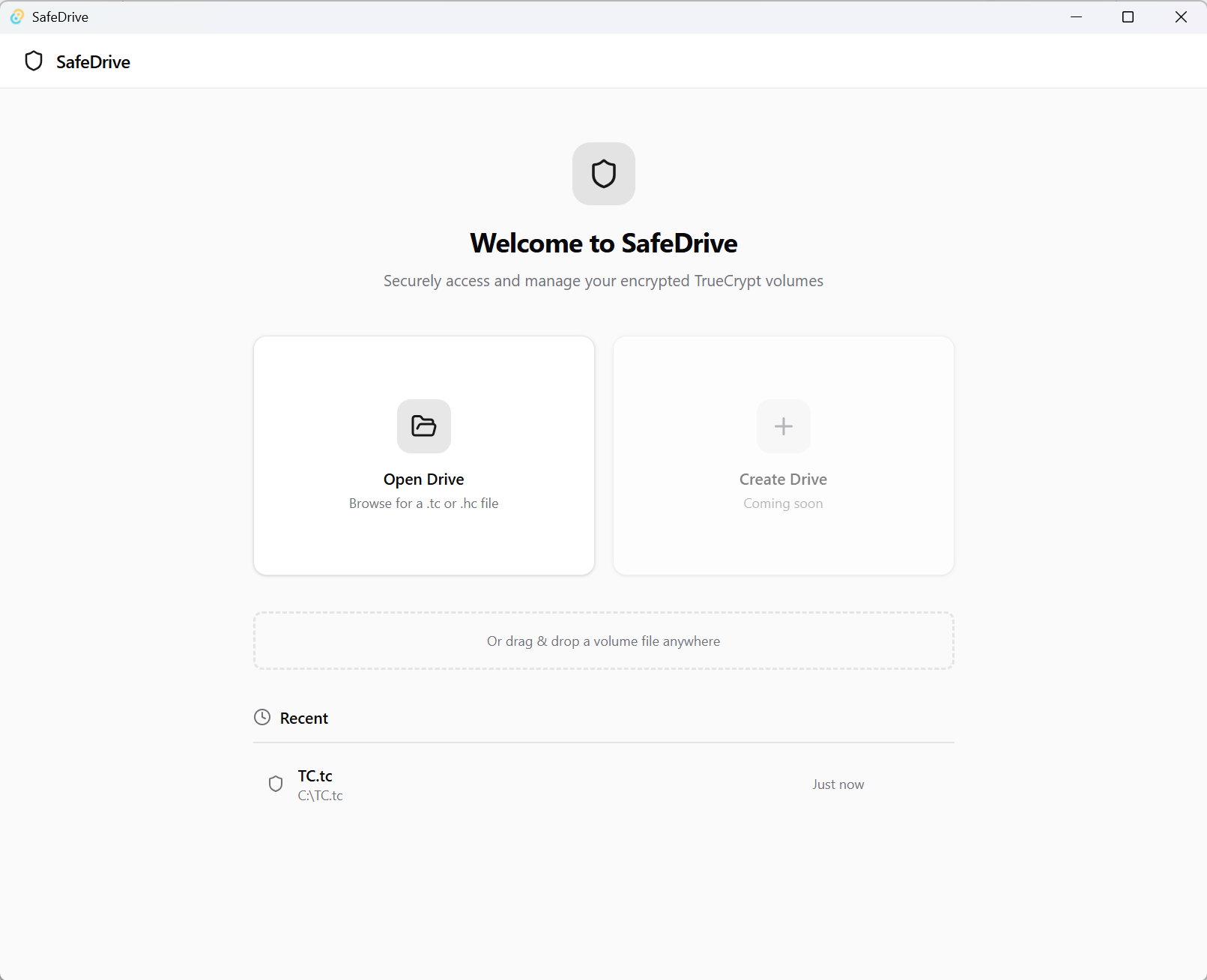
Screenshots
Your Encrypted Volumes. No Extra Software Required.
If you have old TrueCrypt volumes — or use VeraCrypt today — you know the friction: you need the right software installed, the right drivers loaded, and ideally the right OS. SafeDrive removes all of that. Point it at any .tc or .hc file, type your password, and your files are immediately accessible.
No TrueCrypt. No VeraCrypt. No drivers. SafeDrive implements the TrueCrypt volume format entirely from scratch in Rust, meaning the entire decryption pipeline runs in-process with zero external dependencies.
🔑 Open & Decrypt Existing Volumes
SafeDrive reads TrueCrypt and VeraCrypt-compatible encrypted volumes (.tc and .hc files) with full support for:
- All standard TrueCrypt ciphers — AES-256, Serpent-256, and Twofish-256, including cascade combinations
- All key-derivation PRFs — HMAC-RIPEMD-160, HMAC-SHA-512, HMAC-Whirlpool, and HMAC-SHA-1, auto-detected from the volume header
- Hidden volumes — detected and handled automatically
No algorithm selection needed. SafeDrive tries every supported combination until the header decrypts successfully and the built-in CRC checksum passes.
📁 File Browser
Once a volume is decrypted, SafeDrive parses the filesystem (FAT32, exFAT, or NTFS) entirely in Rust and gives you a full file browser:
- Browse the complete directory tree inside the volume
- See file names, sizes, and folder structure at a glance
- Preview images (JPEG, PNG, etc.) directly inside the app — no extraction required
📤 File Extraction
- Extract all files from a volume to a folder of your choice in one click
- Extract selected files — pick individual files or folders to extract
- Real-time progress bar during extraction
💾 Virtual Drive Mounting (Windows)
On Windows, SafeDrive can write the decrypted volume to a temporary VHD and mount it as a real drive letter via the Windows Virtual Disk API:
- Mount the volume — any application on your system gets transparent read/write access
- Unmount the volume when done — changes are automatically saved back into the encrypted container
- Live progress indicator and stage feedback during the mount process
🔒 Auto-Lock Screen
SafeDrive takes shoulder-surfing seriously. The app automatically covers the volume contents whenever its window loses focus. A separate lock-screen overlay requires re-authentication before any content is revealed again.
Passwords are never written to disk. All decryption happens in memory.
⚡ Convenience Features
- Drag & drop a volume file anywhere onto the app to open it instantly
- Recent drives list remembers the last 10 volumes you opened (paths only — passwords are never stored)
- Auto-updater notifies you when a new version of SafeDrive is available
🏗️ Tech Stack
| Layer | Technology |
|---|---|
| UI | React 18, TypeScript, Tailwind CSS, shadcn/ui |
| Desktop shell | Tauri v2 (Rust) |
| Crypto (cipher) | AES-256, Serpent-256, Twofish-256 via pure-Rust crates |
| Crypto (KDF) | PBKDF2 with HMAC-RIPEMD-160 / SHA-512 / Whirlpool / SHA-1 |
| File system parsing | Custom FAT/NTFS reader in Rust |
| Virtual disk (Windows) | Windows VHD APIs via Rust FFI |
🚀 Get Started
Download
SafeDrive is available for Windows, macOS, and Linux.
Build from Source
git clone https://github.com/cottonstartiet/SafeDrive.git
cd SafeDrive
yarn install
yarn tauri dev
🤝 Open Source & MIT Licensed
SafeDrive is released under the MIT license. Use it, fork it, extend it, contribute to it — PRs are welcome.
What’s Coming Next
- Create Drive — create a brand-new encrypted TrueCrypt-compatible volume from scratch
- Write support without mounting — modify files inside a volume directly from the file browser
- macOS Disk Image mounting — native mount support on macOS
Have an idea? Open an issue on GitHub — we’d love to hear from you.